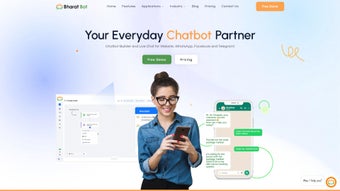

Download BharatBot – No‑Code Chatbot Builder, Free Demo, Secure Integration
Overview
BharatBot is a cloud‑based, no‑code chatbot development platform that promises to turn anyone—whether a small‑business owner, marketer, or support manager—into a chatbot creator without writing a single line of code. The service is positioned as a one‑stop solution for businesses that want to boost productivity, increase revenue, and accelerate growth through conversational automation. By offering a visual drag‑and‑drop interface, pre‑built templates, and a marketplace of ready‑made integrations, BharatBot removes the technical barriers that traditionally accompany AI‑driven customer interactions.
Users can either build their own bots from scratch, use the “quick‑start” wizard, or enlist the platform’s professional team for end‑to‑end design, deployment, and ongoing maintenance. This flexibility makes the product attractive to both beginners who need a free demo to test the waters and seasoned enterprises that demand enterprise‑grade reliability, WhatsApp integration, and multi‑channel support. The subscription model includes tiered pricing, ranging from a basic plan for startups to a premium offering that adds advanced analytics, dedicated account management, and priority support.
BharatBot’s core promise is to make chatbot creation effortless, secure, and scalable, allowing businesses to focus on conversation strategy rather than infrastructure. In practice, the platform’s architecture leverages modern cloud services to ensure high availability and low latency, while the underlying AI models are continuously updated to understand emerging slang, regional dialects, and industry‑specific terminology. The combination of a user‑friendly UI, powerful AI, and strict security controls positions BharatBot as a competitive player in the rapidly expanding conversational‑AI market.
Key Features That Set BharatBot Apart
- Drag‑and‑Drop Builder: Build conversational flows with a visual canvas; no programming required.
- Template Library: Access over 50 industry‑specific bot templates for e‑commerce, banking, healthcare, and more.
- Multi‑Channel Deployment: Publish bots instantly on websites, Facebook Messenger, WhatsApp, and native mobile apps.
- AI‑Powered NLP: Built‑in natural language processing understands intents, entities, and sentiment in multiple languages.
- Analytics Dashboard: Real‑time metrics on user engagement, conversion rates, and drop‑off points.
- WhatsApp Business Integration: Secure, approved integration for two‑way messaging, order tracking, and support tickets.
- Automation Triggers: Set up automated follow‑ups, lead capture forms, and CRM syncs without additional code.
- Security & Compliance: End‑to‑end encryption, GDPR‑ready data handling, and role‑based access controls.
- Professional Services: Optional design, training, and maintenance packages from BharatBot’s expert team.
- Free Demo & Sandbox: Test the platform with a no‑commitment sandbox environment before purchasing.
The feature set is deliberately curated to cover the entire chatbot lifecycle—from ideation to post‑launch optimization. For example, the analytics module not only shows conversation volume but also highlights friction points where users abandon the flow, enabling rapid iteration. Meanwhile, the integration hub includes pre‑built connectors for popular CRMs like HubSpot and Salesforce, so leads captured by the bot flow directly into existing sales pipelines.
This end‑to‑end approach reduces the need for third‑party tools, lowers total cost of ownership, and ensures a consistent user experience across all touchpoints. In addition, BharatBot’s AI engine continuously learns from live interactions, refining intent detection and response accuracy without manual re‑training. The platform also supports multilingual bots, allowing businesses to serve global audiences by simply toggling language packs in the settings.
Security‑focused organizations will appreciate the granular role‑based permissions, which let administrators restrict access to sensitive conversation data while still enabling content creators to edit bot scripts. Finally, the optional professional services act as a safety net for teams that prefer a hands‑off approach, delivering custom branding, advanced workflow design, and ongoing performance monitoring—all backed by a dedicated success manager.
Installation, Usage & Compatibility
Step‑by‑Step Installation
Getting started with BharatBot is designed to be frictionless. First, visit the official website and click the “Free Demo” button. After providing a business email, you’ll receive an instant link to a sandbox environment.
No download is required because the builder runs entirely in the browser, which means you can begin designing on any device with an internet connection. For on‑premise deployments (available only on the Enterprise tier), the platform offers Docker images and Helm charts that can be installed on Kubernetes clusters. The installation wizard walks you through environment variables, SSL certificate uploads, and database connections, taking roughly 15‑20 minutes for a typical setup.
If you prefer a fully managed cloud instance, simply select the “Hosted” option, choose your preferred data region, and let BharatBot provision the resources automatically. The platform also supports single‑sign‑on (SSO) via SAML or OAuth, enabling seamless integration with existing identity providers such as Azure AD, Okta, or Google Workspace.
Daily Usage Workflow
Once inside the dashboard, the workflow follows a logical sequence: 1) Choose a template or start from a blank canvas, 2) Drag conversational nodes (messages, quick replies, forms) onto the flow, 3) Define intents using the built‑in NLP trainer, 4) Connect external APIs via the “Webhook” block, and 5) Preview the bot in real time using the built‑in emulator. After publishing, the bot is instantly reachable through a unique URL or can be embedded on a website via a one‑line JavaScript snippet. For mobile or WhatsApp channels, you simply configure the channel credentials and enable the toggle—no additional code is required.
The platform also provides a version‑control system for bot flows, allowing you to create branches, test new features in isolation, and merge changes once they pass quality checks. Collaboration tools let multiple team members comment on specific nodes, assign tasks, and track progress through an integrated Kanban board. This structured workflow ensures that even large teams can maintain consistency, avoid duplicate work, and rapidly iterate on conversation designs based on live analytics.
Supported Operating Systems
Because BharatBot is a SaaS application, it is compatible with any modern operating system that supports a contemporary web browser. This includes Windows 10/11, macOS Monterey and later, Linux distributions (Ubuntu, Fedora, etc.), as well as mobile platforms such as Android 8.0+ and iOS 13+. The optional on‑premise Docker container can run on any OS that supports Docker, giving enterprises the flexibility to host the solution behind their own firewalls if required.
The platform’s browser‑based nature ensures that updates are rolled out automatically, eliminating the need for manual patches. Users always work with the latest features, security patches, and AI model improvements without any downtime. This “always‑up‑to‑date” model aligns with the product’s promise of a secure, hassle‑free chatbot experience, and it also simplifies compliance audits because the vendor maintains a single source of truth for version history.
Pros, Cons & Frequently Asked Questions
Pros
- Intuitive no‑code interface reduces development time dramatically.
- Comprehensive multi‑channel publishing (web, WhatsApp, Messenger).
- Robust analytics and AI‑driven NLP out of the box.
- Secure, GDPR‑compliant data handling and role‑based access.
- Free sandbox demo lets you test before you buy.
- Built‑in version control and team collaboration tools.
- Extensive library of pre‑built integrations and API connectors.
Cons
- Advanced custom integrations may require developer assistance.
- Enterprise on‑premise deployment is limited to higher‑tier plans.
- Pricing can be steep for small startups needing premium features.
- Free demo is time‑boxed; long‑term evaluation requires a paid plan.
Frequently Asked Questions
Can I use BharatBot without any technical background?
Absolutely. The drag‑and‑drop builder, pre‑made templates, and step‑by‑step tutorials are designed for non‑technical users. You can launch a functional chatbot within an hour.
Is there a free version or trial available?
BharatBot offers a free sandbox demo that provides full access to the builder for 14 days. No credit card is required, and you can export your bot before deciding on a paid plan.
Which messaging platforms are supported?
Web chat widgets, Facebook Messenger, WhatsApp Business, and native mobile SDKs for Android and iOS are all supported out of the box.
How does BharatBot handle data privacy?
All data is encrypted in transit and at rest. The platform complies with GDPR, CCPA, and other major privacy regulations. Role‑based access lets administrators restrict who can view or edit conversational data.
Can I integrate my existing CRM or ticketing system?
Yes. BharatBot includes native connectors for HubSpot, Salesforce, Zoho CRM, and popular ticketing tools like Zendesk. For custom systems, you can use the webhook block to call any REST API.
What kind of support is available for paid customers?
Paid plans receive priority email support, live chat during business hours, and optional 24/7 phone support for enterprise tiers. Dedicated account managers are also offered for premium subscriptions.
Conclusion & Call to Action
In a market where conversational AI is becoming a differentiator rather than a luxury, BharatBot delivers a compelling blend of ease‑of‑use, powerful features, and secure architecture. Whether you are a solo entrepreneur looking to automate FAQs or a large enterprise aiming to integrate WhatsApp‑based sales funnels, the platform scales to meet those needs without demanding a dedicated development team. The free sandbox demo offers a risk‑free opportunity to experience the builder’s capabilities, while the optional professional services provide a safety net for those who prefer a hands‑off approach. If you are ready to boost customer engagement, capture leads faster, and reduce support costs, the logical next step is to sign up for the free demo and start prototyping your first chatbot today.
Take advantage of BharatBot’s 30‑day money‑back guarantee on paid plans, and explore the extensive knowledge base for best‑practice tips. Click the button below to begin your chatbot journey—no credit card, no code, just results.
Start Your Free Demo NowPros: User‑friendly builder, extensive channel support, strong analytics, secure architecture, version control.
Cons: Premium pricing for advanced features, limited on‑premise options for small plans, trial time‑limit.



.png)



